
 Compatible with Fatoora
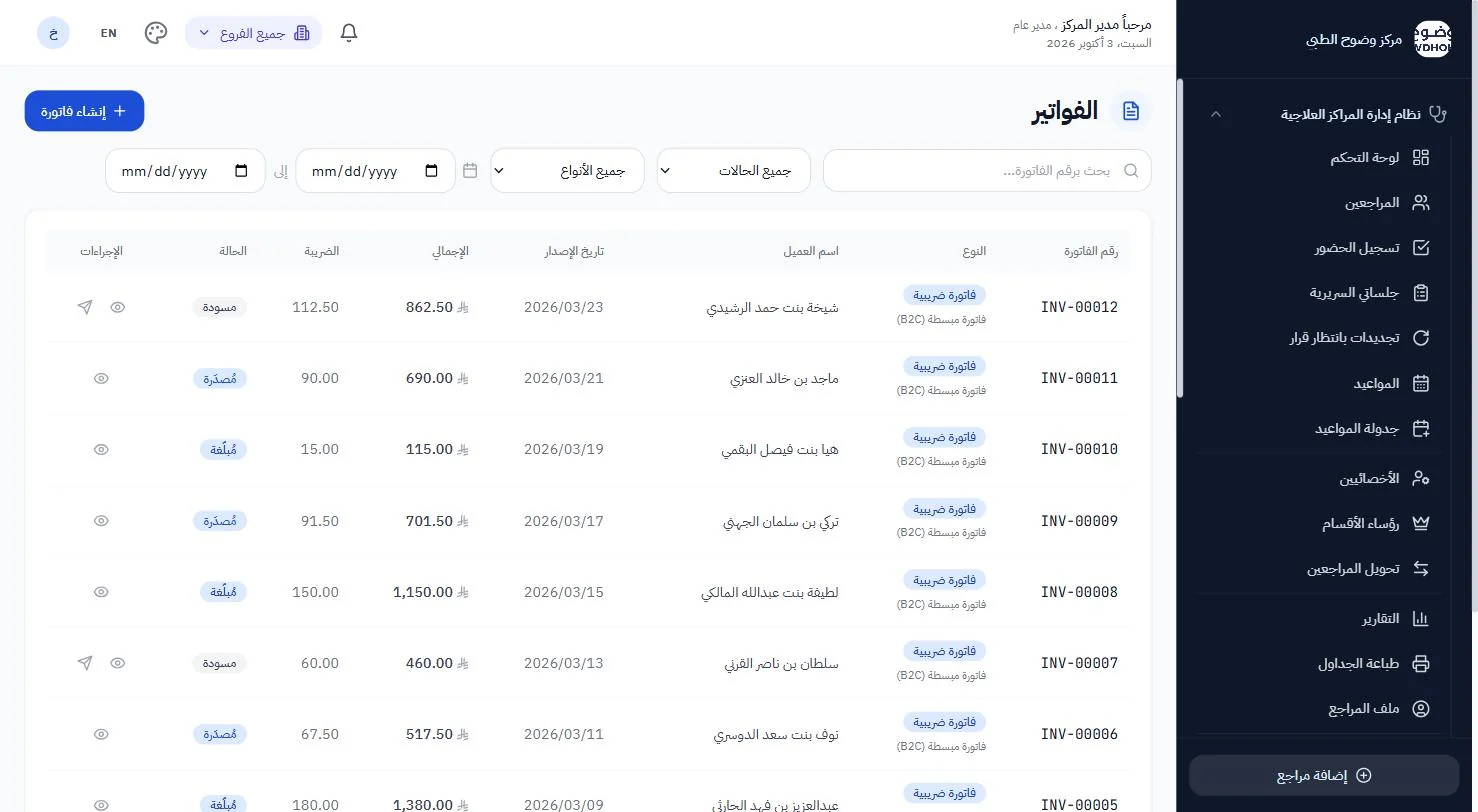
Fatoora-compliant invoices, straight from the session
Standard and simplified tax invoices meeting ZATCA's phase-two (integration) requirements, with QR and automatic reporting — sent to the client on WhatsApp.
Fatoora phase two
Every invoice is cryptographically signed with its QR; simplified invoices are reported to ZATCA automatically within the required window.
From package to invoice
The invoice is built from the package or service delivered — no retyping prices or VAT.
Credit and debit notes
Correct an invoice with a credit or debit note linked to the original, as the regulation requires.
Sent to the client
The invoice arrives as a file on the client's WhatsApp — by a button, or automatically when issued.
WhatsApp integrationProducts and stock
Products sold alongside sessions, with stock movements recorded on every invoice.
Settings per branch
Billing details and numbering per branch, with one revenue dashboard for the centre.
Invoice and claim, never in conflict
For an insured client, the client's share comes from the insurer's own answer, not a fixed setting — so you never collect more or less than you should.
- Cash clients: invoice and payment as usual
- Insured clients: their share only; the rest goes in the NPHIES claim
- Payment methods: cash, card, transfer
Questions about invoicing
Do I need another invoicing program?
No. E-invoicing is part of the platform and runs on the same client and package data.
How is the ZATCA connection set up?
Our team connects your centre's invoicing unit to ZATCA during onboarding; after that invoicing and reporting run on their own.
Ready to see your centre clearly?
Book a walkthrough on cases like your own centre's; our team calls you within 24 hours to set up your trial account.