

A schedule without clashes, packages that run themselves
Book sessions for specialist and client without overlap, tie them to a package that each attended session draws down — and renew before it ends.
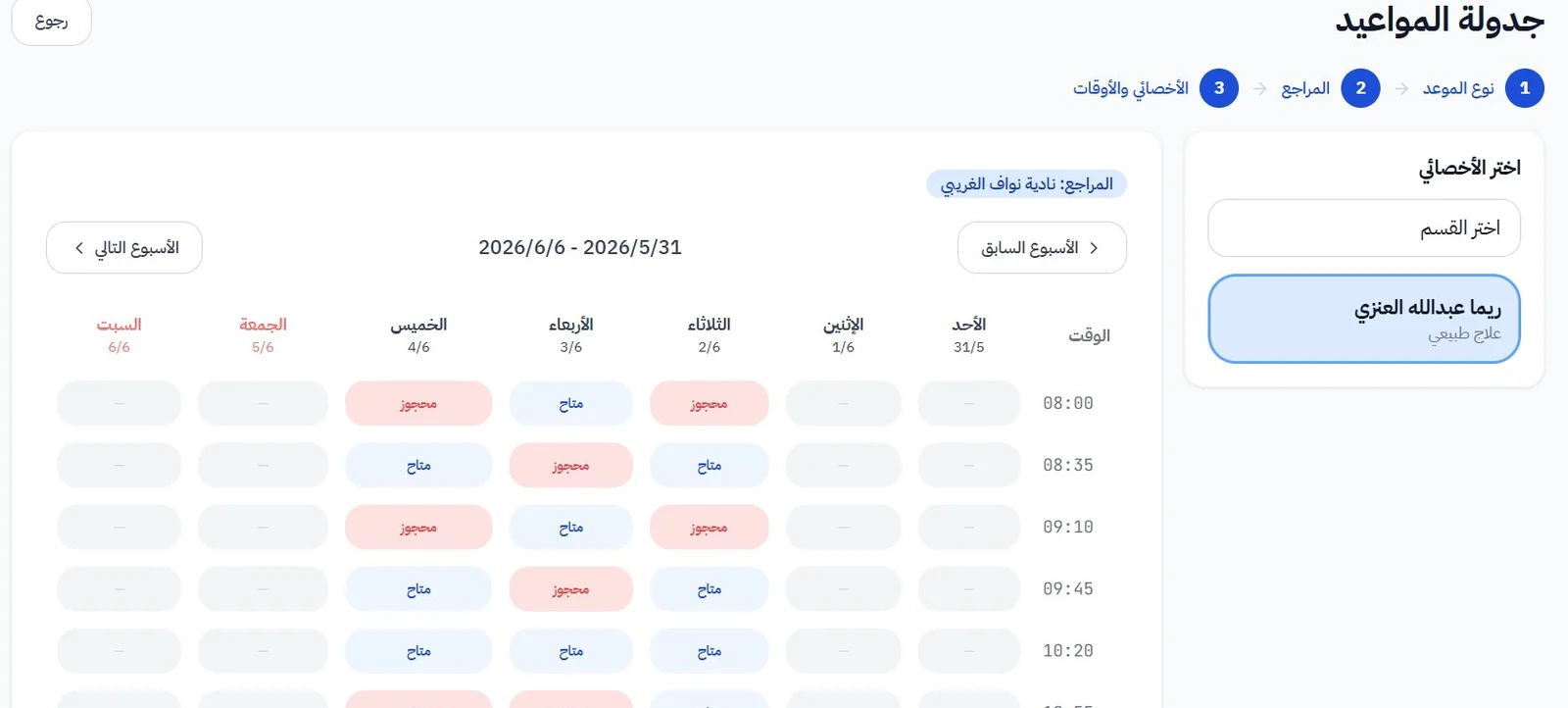
Clash-free booking
The system refuses any slot that overlaps another for the specialist or the client, or a time held for a pending renewal.
Session packages
Session count, length and price, and payment status: paid, pending, half-paid if the centre enables it, or insurance.
Attendance against the package
Checking in draws down a session; no-shows and centre cancellations are recorded with their reasons and show in reports.
Renewals that hold the slots
As a package nears its end, a renewal draft holds the same times for a period the centre sets, until confirmed or cancelled.
Departments and branches
Session length and breaks per department, a separate schedule per branch, and one view for those allowed to see it all.
Reminders and notices
Booking confirmations, reminders and cancellations reach the client on WhatsApp in your centre's name.
WhatsApp integrationRenewal, done right
Instead of booking a new package before the client decides and leaving payment hanging, the draft only holds the times.
- Renewal proposed
At the last session the system proposes the same days and times, skipping anything already past.
- Held for a while
The times are held for this client only, for the period the centre sets (72 hours by default).
- Confirmed with payment
On confirmation the package and its appointments are created with the right payment status; otherwise the times are released.
Questions about scheduling
Can specialists' schedules be printed?
Yes, there is a dedicated view for printing daily and weekly schedules.
What if the centre has to cancel a session?
The centre cancellation is recorded with its reason, the client can be moved to another specialist, and a WhatsApp notice goes out if the centre enabled it. All of it shows in the reports.
Is half payment supported?
Yes, if the centre turns it on in settings. When it is off, the option does not appear at all.
Ready to see your centre clearly?
Book a walkthrough on cases like your own centre's; our team calls you within 24 hours to set up your trial account.